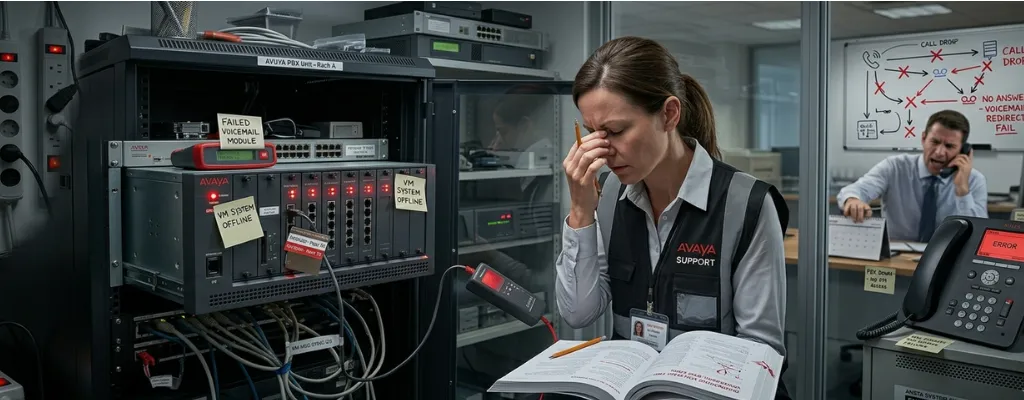
Avaya Voicemail Pro & Hunt Group Troubleshooting: Fix VM Failures and Call Routing Issues | Morgan Birgé
Avaya Voicemail and Call Feature Failures: How to Troubleshoot VM Pro and Hunt Groups
When Voicemail and Call Routing Stop Working
Voicemail and call routing are two of the most business-critical functions in any phone system. When they break, the impact is immediate: customers leave messages nobody receives, calls ring endlessly without reaching anyone, and your team starts relying on cell phones and workarounds to get through the day. For businesses running Avaya IP Office, these failures tend to cluster around two components: Voicemail Pro, the application that handles messaging and auto-attendant, and hunt groups, the feature that routes incoming calls to the right people.
Neither of these is simple under the hood, but the failures they produce almost always trace back to a small number of root causes. Knowing what those causes are helps you resolve the problem faster and have a much more productive conversation with whoever supports your system.
Voicemail Pro: What It Is and Why It's a Separate Problem
Most people assume voicemail is built directly into their Avaya phone system, the same way it's built into a mobile phone. In reality, Avaya IP Office relies on a separate application called Voicemail Pro to handle all messaging, greetings, and auto-attendant call flows. It runs on its own server, either a dedicated Windows machine or a virtual server, and communicates with the main phone system over a network connection. That separation is what makes Voicemail Pro powerful, and also what makes it a distinct failure point.
When Voicemail Pro loses its connection to the phone system, everything it handles stops working simultaneously. Callers get no greeting. Messages can't be left or retrieved. Auto-attendant menus go silent. From a user's perspective, it looks like a total voicemail failure, but the phone system itself is often running perfectly; the two simply stopped talking to each other.
The Most Common Reason Voicemail Stops Working Entirely
The single most documented cause of Voicemail Pro failing to connect is a password mismatch; the password stored inside Voicemail Pro doesn't match what IP Office is expecting, so the two systems can't authenticate, and the connection is refused. This sounds like a simple fix, and it is once you know that's what's happening. The problem is that the symptom, voicemail, is completely unavailable, looks identical whether the cause is a password mismatch, a service that stopped running, or a network issue. Without knowing where to look, it's easy to spend a long time checking the wrong things.
Another well-documented failure pattern involves Voicemail Pro running on a Windows server that doesn't reconnect properly after a reboot; the service starts, appears healthy, but never successfully re-establishes its link to IP Office. The system status shows voicemail type as "None," meaning IP Office has no active voicemail connection at all, even though the Voicemail Pro application is technically running. A restart sequence, restarting Voicemail Pro first, then allowing IP Office to reconnect, resolves it in most cases, but the underlying reason for the failed reconnect usually needs to be addressed to prevent it from recurring.
Disk space is a quieter but equally disruptive cause. Voicemail Pro stores every recorded message as an audio file on the server it runs on. As those files accumulate over months and years, available storage shrinks. When it runs out entirely, new messages are silently dropped, callers hear the greeting, leave a message, and nothing is saved. There's no alert to the user or the administrator. The message simply never exists. Keeping the Voicemail Pro server well under its storage limit and archiving or deleting old messages regularly prevents this entirely.
Hunt Groups: When Calls Ring Forever or Go Nowhere
A hunt group is how Avaya IP Office distributes incoming calls across multiple people. When a customer calls your main number, the hunt group decides which phones ring, in what order, and for how long before doing something else: routing to voicemail, playing a message, or trying another group. When hunt groups work correctly, callers reach someone quickly and efficiently. When they're misconfigured or broken, calls ring indefinitely, reach the wrong person, or drop into voicemail, regardless of whether anyone is available to answer.
The most common hunt group failure is a misconfigured time profile. Avaya IP Office lets you set different behaviors for different times of day: sending calls to voicemail after hours, playing a holiday greeting on certain dates, and routing calls differently on weekends. These time-based rules are controlled by time profiles, and a single incorrect entry can cause the wrong behavior to apply at the wrong time. A business that suddenly starts sending all calls to voicemail in the middle of a Tuesday afternoon almost always has a time profile that doesn't match the actual schedule, either entered incorrectly during setup or never updated after a business hours change.
The answer time setting is another frequent culprit. IP Office controls how long a hunt group rings before routing the call to voicemail through a setting called the Allocated Answer Interval, which defaults to 15 seconds. If this is set too short, calls go to voicemail before agents have a realistic chance to answer them, a frustrating experience for callers and a source of constant complaints that the phone "never rings long enough." Adjusting this to a more practical duration, typically 20 to 30 seconds, depending on the business, resolves the complaint immediately.
When Voicemail Shows as "Busy" for a Hunt Group
One of the most persistent and frustrating Avaya voicemail problems is a hunt group mailbox that shows as "Busy" when an employee tries to access it, even when no one else is using it. Messages are clearly waiting, the indicator light is on, but actually retrieving those messages is impossible through the normal interface.
This "Busy" behavior when accessing hunt group voicemail through the phone's message key is a well-documented issue that has affected multiple IP Office versions, with users reporting it after upgrades and in multi-site configurations where the hunt group and the user trying to access it are on different parts of the system. The underlying cause is a configuration gap; the user trying to access the hunt group mailbox either hasn't been properly associated with that group in the system settings, or the Voicemail Pro connection between different parts of a multi-site setup isn't fully synchronized.
The fix involves verifying that the user has a source number configured that references the hunt group name, and that the user is listed as a member of the hunt group, even if they're not actively taking calls from it. Both conditions need to be met before the visual voicemail interface can successfully open the group mailbox. It's a configuration detail that gets missed during setup and causes ongoing frustration until someone who knows what to look for finds it.
After an Upgrade, Everything Changes
Upgrades to Avaya IP Office are one of the most reliable triggers for voicemail and hunt group problems. The phone system gets updated, but Voicemail Pro, running on its own separate server, doesn't automatically update with it. A version mismatch between IP Office and Voicemail Pro can cause the connection between them to drop, hunt group call flows to behave unexpectedly, or certain voicemail features to stop functioning without any obvious error message.
In some cases, after upgrades, Voicemail Pro stops processing calls intermittently, working fine for days or weeks before suddenly becoming unresponsive, with the only resolution being a reboot of IP Office or a restoration from a previous backup to get voicemail functioning again. This kind of intermittent failure is particularly disruptive because it's unpredictable and difficult to reproduce for diagnosis. The pattern usually points to an incompatibility between the running versions that builds up over time rather than breaking immediately.
The straightforward prevention is making sure that Voicemail Pro is updated to the matching version every time IP Office firmware is updated, and that this step is explicitly included in any upgrade plan, not treated as optional or handled separately later.
What to Check Before Calling for Help
If voicemail has stopped working entirely, start by confirming that the Voicemail Pro service is actually running on its server, and that the password it uses to connect to IP Office matches what IP Office expects. If hunt groups are misbehaving, check the time profiles first, then the answer time settings. If a specific mailbox is showing as busy, verify the user's group membership and source number settings in IP Office Manager.
These checks resolve the majority of common voicemail and hunt group failures without requiring specialist support. When they don't, the problem is typically deeper, a version mismatch, a corrupted call flow, or a multi-site configuration issue, and that's when having the right expertise makes the difference between a 20-minute fix and a two-day outage.
When Every Fix Fails
Voicemail and hunt group failures are among the most disruptive things that can happen to a business phone system, and they're also among the most solvable, once someone is looking in the right places. If your Avaya voicemail has gone quiet, your hunt groups are misbehaving, or an upgrade has left things working differently than before, Avaya maintenance providers can help get it sorted.