Why Avaya Phones Go Offline: Fix Registration Failures, Network & DHCP Issues | Morgan Birgé
Why Your Avaya Phones Go Offline: Troubleshooting Registration and Network Issues
When the Phone Just Says "No"
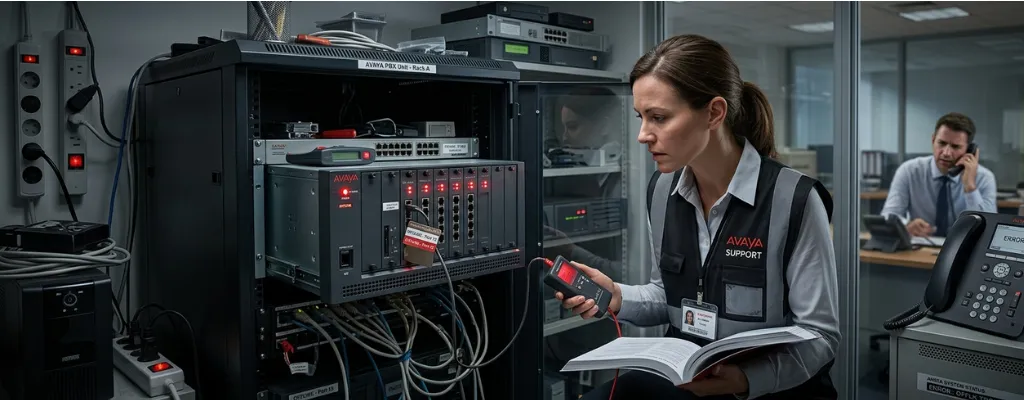
It starts with one employee's phone going dark. Then two. By the time you've made your way to the office, half the desk phones are offline; blank screens, no dial tone, no sign of life. You restart the system, and some come back. Others don't. And nobody can explain why it worked fine yesterday.
If you run a business on Avaya phones, this scenario is more common than it should be. Phones going offline, failing to register, or cycling through endless reboots aren't random events; they're symptoms of specific, identifiable problems. Most of them live in the network, not in the phones themselves. Understanding the most common causes puts you in a much stronger position to resolve the issue quickly or have an informed conversation with whoever supports your system.
What "Registration" Actually Means
When an Avaya IP phone powers on, it doesn't just turn on like a lamp. It has to introduce itself to the phone system, essentially checking in and saying, "I'm extension 205, I'm ready to make and receive calls." That check-in process is called registration. Until it completes successfully, the phone is effectively invisible to the rest of the system. Calls can't reach it, and it can't dial out.
Registration happens every time a phone powers on, reboots, or loses and regains its network connection. That's why network instability, even brief, momentary interruptions, can knock phones offline. The phone loses its connection, tries to re-register, and if anything in that process goes wrong, it stays dark until the issue is resolved.
The Most Common Reason Phones Go Offline: Network Changes Nobody Told You About
The single most frequent cause of Avaya phones going offline isn't a phone problem or a phone system problem. It's a network change, often a minor one, that disrupted something the phones depend on.
New PoE switches, file server outages, and other infrastructure changes are among the most documented triggers for Avaya phones going offline, systems that had been running smoothly for months suddenly experiencing widespread deregistration after what appeared to be unrelated network events. A new switch gets installed in the server room. A router gets updated overnight. A backup job runs at 3 AM and briefly saturates the network. Any of these events can knock phones offline, and because the timing doesn't always align neatly with the visible network event, the connection gets missed.
Even a virus scanner or network monitoring tool that gets updated can cause phones to drop. If the scanner sweeps the network and hits the phone system during a registration check-in window, some phones will reboot or lose their connection, apparently at random. The pattern looks random to employees. To someone who knows where to look, it traces directly back to a specific piece of software running on a specific schedule.
The first question to ask when phones go offline isn't "what's wrong with the phones?" It's "what changed on the network in the last 24 to 48 hours?" That question alone will point you toward the answer in the majority of cases.
IP Address Conflicts: The Silent Culprit
Every device on your office network, computers, printers, phones, and servers, has a unique address that lets the network know where to send information. When two devices accidentally get assigned the same address, they conflict, and the results are unpredictable. Phones freeze, drop offline, or refuse to register without any obvious error message.
IP address conflicts are a well-documented cause of Avaya phones going offline, particularly after network hardware changes. The solution in one widely reported case turned out to be a newly installed switch whose configuration had been given the same IP address as the phone system itself. Everything appeared to be working from the outside, but the phone system and the switch were fighting over the same identity on the network, and the phones paid the price.
This is easy to prevent with proper network documentation, a simple record of which address belongs to which device, but many small business networks grow organically over the years without that discipline. An address conflict audit is a short process that can rule out one of the most disruptive and least obvious failure causes in any Avaya environment.
Power Problems: When the Phone Has Nothing to Run On
Most modern Avaya desk phones don't use a separate power adapter. They draw power directly from the network cable, a technology called Power over Ethernet, or PoE. The network switch provides the power, and when the switch isn't providing enough of it, phones behave erratically: slow to boot, prone to random reboots, or simply staying offline.
PoE switches have a total power budget, a maximum amount of power they can distribute across all connected devices. When too many power-hungry devices are connected, the switch starts rationing. The last devices to connect, or those furthest from the switch in terms of cable length, are most likely to be underpowered. The result is phones that work intermittently, restart without warning, or stay offline for no apparent reason.
This is especially common after an office expansion. Adding more phones, access points, or other PoE devices to an existing switch without checking the power budget is a routine oversight that creates persistent, baffling phone outages. The fix is either redistributing devices across switches or upgrading to a higher-capacity PoE switch, a straightforward solution once the cause is identified.
DHCP Failures: When Phones Can't Find Their Place on the Network
DHCP is the service that automatically assigns network addresses to devices when they connect. For Avaya phones, DHCP does something extra: it also tells the phone where to find the phone system. Without that information, the phone can power on, connect to the network, and still have no idea where to register.
If the DHCP server isn't correctly configured with the additional options that Avaya phones need to locate the phone system, phones will be unable to find the server and will fail to register, receiving a valid network address but no instructions on where to go. This is a common outcome after a server replacement, a network refresh, or a power outage that caused the DHCP server to reset to default settings. The phones look healthy on the outside, they have power, they're on the network, but they're lost, waiting for directions that never arrive.
After network outages, specifically, Avaya phones can sometimes reconnect to the wrong network segment, receiving an address from the data network rather than the voice network, displaying a "no file server" message, and staying offline until they're manually pointed back to the correct network. Keeping the voice and data networks properly separated and ensuring the DHCP configuration survives reboots and outages prevents this scenario from repeating.
When Restarting Everything Doesn't Fix It
The instinct when phones go offline is to restart everything: the phones, the phone system, the switches. Sometimes that works. Often it doesn't, because restarting clears the symptom without addressing the cause, and the phones go offline again within hours or days.
A documented pattern involves phones that won't recover after a restart of the phone system control unit, remaining offline until the PoE switches themselves are restarted, suggesting that the real issue isn't with the phone system at all, but with how the switches are managing power or network state after an outage. If restarting the phone system doesn't bring phones back but restarting the network switches does, the switches are where the investigation needs to focus.
The broader point is that persistent phone outages, ones that keep recurring after restarts, have a root cause that restarts can't fix. Finding that cause requires someone who knows where to look across the full environment: the phone system, the network, the switches, the DHCP configuration, and the power infrastructure. All of them interact, and any one of them can be the source.
The Bottom Line
Avaya phones going offline is rarely about the phones. It's almost always about the environment the phones live in: the network, the switches, the power supply, or the services that phones depend on to register and stay connected. The good news is that every one of these failure modes is traceable, and most of them are fixable without replacing any hardware.
What they require is a systematic approach and someone who knows the right questions to ask.
Professional Avaya Telecom Support
If your Avaya phones are going offline, stuck in reboot loops, or failing to register, and you’re not getting clear answers, regular Avaya support and maintenance services can identify the underlying issues and keep your phone system stable and fully operational.