Avaya PBX to Microsoft Teams Phone Migration | Morgan Birgé
How to Move from Avaya PBX to Microsoft Teams: Step-by-Step Guide
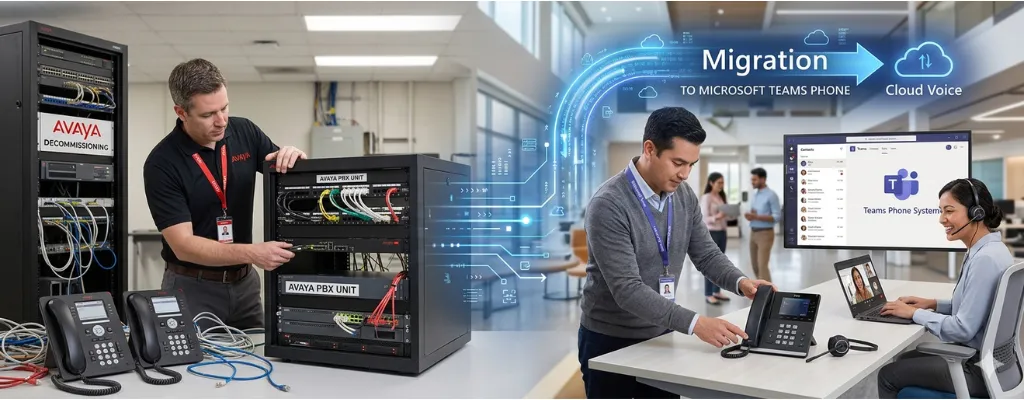
Migrating from an Avaya PBX system to Microsoft Teams Phone is no small feat. Many businesses face high costs, complex hardware, and legacy workflows that slow communication and frustrate users. Teams Phone offers a cloud-based, unified communication platform that consolidates calls, chat, video, and file sharing into one ecosystem. When executed properly, the transition can reduce costs, improve productivity, and future-proof your communication strategy.
This guide provides a step-by-step approach for businesses considering the move, helping IT leaders, managers, and decision-makers understand the process, anticipate challenges, and realize real-world benefits.
Why Migrate from Avaya PBX to Teams Phone?
Moving away from an Avaya PBX is more than a technology update; it’s a strategic business decision. Here’s why companies are making the switch:
Cost Efficiency: Traditional Avaya PBX systems are capital-intensive, requiring upfront hardware investments and ongoing support contracts. Teams Phone uses a subscription model, reducing the total cost of ownership (TCO) and simplifying IT budgets.
Enhanced Employee Productivity: Teams Phone integrates seamlessly with Microsoft 365, bringing together email, chat, calls, and file sharing. Employees no longer waste time switching between disconnected tools.
Continuous Improvement: Teams is cloud-based and continually updated with new features, ensuring your communication platform evolves alongside your business.
Proven Success: Companies like AbbVie and major manufacturers have migrated thousands of users to Teams with measurable cost savings and workflow improvements.
A careful business case and clear plan are crucial to ensure a successful migration.
Step 1: Assessment and Planning
Planning is the foundation of a smooth migration. Skipping this stage increases risk and can lead to cost overruns, unhappy users, and downtime.
Define Goals and Success Metrics
Identify what the migration must achieve: reduced costs, improved call quality, or unified workflows.
Set measurable KPIs such as user satisfaction scores, call reliability, and operational efficiency.
Inventory Your Current Environment
List all users, devices, hunt groups, and analog endpoints like fax machines or card terminals.
Document current contracts, licenses, and phone features in use.
Network Readiness Assessment
Check bandwidth and Quality of Service (QoS) metrics, including latency, jitter, and packet loss.
Identify network bottlenecks that could affect call quality post-migration.
Feature Gap Analysis
Compare Avaya capabilities to standard Teams Phone features.
Highlight missing functionality such as SMS, multi-line handling, or advanced call routing.
Step 2: Design and Pilot
Once the assessment is complete, move to designing the Teams environment and testing it with a small user group.
Configure Teams Environment:
Set naming conventions, security policies, and management rules.
Prepare channels, call routing, and Teams policies for your organization.
PSTN Connectivity:
Choose between Direct Routing with a certified Session Border Controller (SBC) or an Operator Connect partner.
Pilot Group Selection:
Include a representative mix of users: office staff, managers, high-volume receptionists, and remote workers.
Collect feedback through surveys, monitor call quality, and identify gaps.
Pilot Execution:
Run structured test calls and meetings.
Adjust Teams configurations and training materials before full deployment.
Step 3: Deployment and User Adoption
Phased deployment reduces disruption and ensures employees feel confident with the new system.
User Training and Change Management:
Prepare communication plans, step-by-step guides, and hands-on sessions.
Address concerns proactively to reduce resistance.
Batched Migration:
Move users in groups to manage workloads and ensure support availability.
Coordinate phone number porting carefully to prevent downtime.
Post-Migration Support:
Provide dedicated support for new Teams users.
Monitor adoption and troubleshoot early issues quickly.
Step 4: Monitoring and Optimization
Migration doesn’t end with deployment. Continuous monitoring ensures long-term success.
Performance Monitoring:
Track call quality, network health, and user experience with a third-party monitoring tool.
Address issues before they affect productivity.
Ongoing Feedback:
Collect user input for additional training or process adjustments.
Decommission Legacy Systems:
Remove Avaya hardware, terminate support contracts, and fully transition to Teams Phone.
Common Challenges and How to Address Them
Even with careful planning, migration can encounter problems:
Feature Gaps
Certain Avaya functionalities, like hunt groups or SMS, may not exist in Teams natively.
Solution: Map each feature, implement workarounds, or deploy third-party apps.
Legacy Device Compatibility
Fax machines, credit card terminals, and older phones may not work with Teams.
Solution: Use Analog Telephone Adapters (ATAs) or upgrade endpoints where necessary.
High-Volume Users
Receptionists and admin staff require multi-line visibility and fast call handling.
Solution: Implement third-party attendant consoles integrated with Teams.
Contact Center Limitations
Teams Phone is not a full CCaaS solution. Advanced routing, omnichannel queues, and workforce management require certified third-party platforms.
Real-World ROI of Teams Phone Migration
Businesses that plan and execute their migration strategically see significant returns:
Financial Savings: Case studies report TCO reductions of $15–$21 per user per month.
Faster Rollouts: Large enterprises have migrated thousands of users in under three months.
Improved Workflows: Integration with Microsoft 365 eliminates app switching, boosting productivity.
Key Takeaways for a Smooth Migration
Always begin with a full assessment and environment inventory.
Test with a pilot group before rolling out organization-wide.
Train users and manage change actively to minimize resistance.
Monitor performance and gather feedback to optimize operations.
Understand Teams’ limitations and supplement with third-party solutions when needed.
Summary
Migrating from Avaya PBX to Microsoft Teams Phone can reduce costs, streamline communication, and future-proof your business. A structured, phased approach that combines planning, piloting, user adoption, and monitoring is critical for success. While Teams Phone may not replace a full contact center solution on its own, careful planning and third-party integrations make it a powerful, unified communication platform.
With the right strategy, your business can unlock productivity gains, simplify IT management, and create a communication environment ready for today and tomorrow. Avaya maintenance services providers can guide you through each stage of this migration, ensuring your Teams Phone rollout is smooth, low-risk, and aligned with your business objectives.