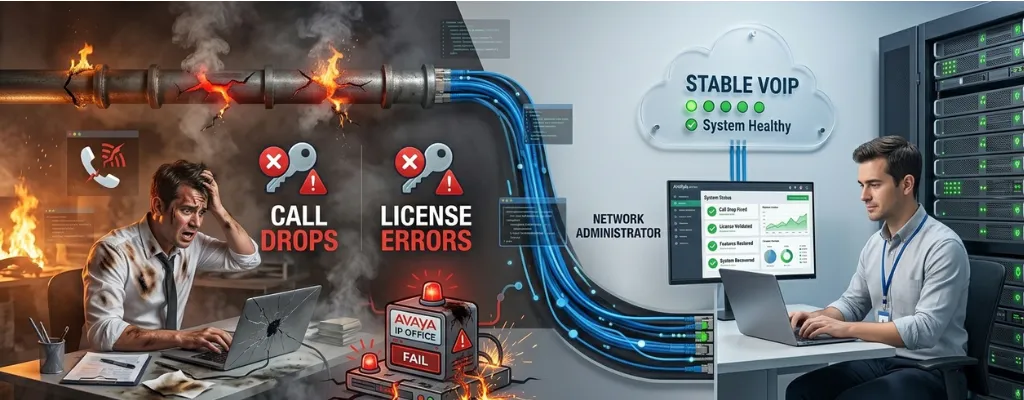
Avaya IP Office Upgrade Failures: Fix Call Drops, License Errors & Broken Features | Morgan Birgé
Why Avaya IP Office Upgrades Fail: Call Drops, License Errors, and Broken Features
Upgrading an Avaya IP Office system is notoriously risky. Unlike cloud platforms, where updates happen quietly, Avaya IP Office is a deeply stateful, hardware-dependent system where firmware, licenses, endpoints, companion applications, and network configurations must align perfectly. When any layer fails to mesh, the result can cascade into silent or obvious system failures that are difficult to untangle. Older systems with years of accumulated patches and workarounds further complicate the upgrade process.
This guide explains the most common failure modes and provides practical strategies to prevent catastrophic outages.
Licensing Breaks: The Most Common Failure
Licensing errors are the defining challenge of IP Office upgrades. Avaya’s Web License Manager (WebLM) ties licenses cryptographically to hardware and requires re-validation after significant firmware updates. Upgrading from one major release to another can mark older licenses as obsolete, triggering “License Configuration Error Mode.” The system may appear functional for up to 30 days due to a grace period, after which phones fail to register, Voicemail Pro features stop working, or SIP trunks are rejected.
Server Edition systems with multiple IP500 V2 expansion units are especially vulnerable. Expansion units may enter “virtual grace mode,” appearing operational while counting down to failure. Recovery requires re-provisioning licenses through Avaya’s PLDS portal, which demands an active support contract, knowledge of host IDs, and access to the correct PLDS account. Missing any of these elements can prolong downtime.
Preparation Checklist:
Export a complete license report from IP Office Manager.
Confirm an active Software Support Advantage (SSA) contract.
Identify the PLDS account with license entitlements to avoid post-upgrade dead ends.
Call Drops and SIP Trunk Failures
SIP trunk issues are the second most frequent post-upgrade problem, immediately affecting user experience. Failures often stem from changes in SIP signaling, NAT traversal, or codec negotiation introduced by the new firmware. Common causes include:
Session Timer Mismatches: Firmware updates can alter default session-expires values, causing inbound calls to drop after 30 seconds. Carrier logs may misleadingly indicate that the provider ended the call.
Re-INVITE Failures: Features like hold, transfer, and call park rely on Re-INVITE messages. If firmware resets or changes the “Allow Re-INVITES” setting, some call features may break while outbound calls remain functional.
NAT Misconfiguration: Network Topology settings may be disrupted during upgrades or infrastructure changes, resulting in one-way audio. Correcting the public IP address and disabling SIP ALG on routers/firewalls typically resolves the issue.
Upgrade Process Failures
Firmware installation itself can fail due to network issues, corrupted downloads, or mismatched IP Office Manager versions. Common failure points include:
Stalled Upgrades: Errors during tasks like “Pull Upgrade” often indicate connectivity issues or mismatched manager versions. IP Office Manager must match the target firmware before upgrading.
Server Edition YUM Errors: Linux-based Server Edition systems can fail mid-upgrade, leaving partially installed RPM packages. Recovery often requires a full reinstall using a pre-upgrade backup.
File Upload Failures: Firmware files for phones may fail to upload. Distinguishing obsolete files from missing critical files is key to ensuring system functionality.
Skipping Versions: IP Office doesn’t support skipping major releases. Upgrading from 9.0 to 11.0 without intermediate steps often causes subtle misconfigurations that generate intermittent failures for months.
Broken Features After a Successful Upgrade
Even when upgrades complete without error, feature functionality can silently break due to version mismatches across dependent systems:
Voicemail Pro: Requires version alignment with the upgraded IP Office. Mismatched versions may appear functional but fail to deliver messages, auto-attendant prompts, or call flows.
Phone Firmware: J-Series IP phones are particularly sensitive. Mismatched firmware can disable soft key functions, presence indicators, and call handling features, often unnoticed during initial testing.
One-X Portal: Requires a matching release version and database migration. Skipping this step leads to progressive failures as users log out and reconnect.
CTI Integrations & CRM Screen Pops: IP Office TAPI drivers are version-specific. Upgrading firmware without updating TAPI drivers can break auto-population in CRM systems, disrupting contact center operations.
Multi-Site Upgrades: Complexity Multiplies
Upgrades in multi-site Server Edition environments introduce additional risks:
The primary system must be upgraded first, followed by secondary systems and expansion units.
Mismatched firmware across nodes can cause degraded call handling between sites, including one-way audio and silent failures after transfers across Small Community Network (SCN) links.
Maintenance windows must account for the cumulative upgrade time of all nodes, including post-upgrade testing and rollback contingencies.
Preparing for a Successful Upgrade
The key to avoiding disaster is thorough preparation weeks before the maintenance window:
Audit Environment: Document firmware versions for the control unit, expansions, Voicemail Pro, one-X Portal, and all phones. Cross-reference with Avaya compatibility matrices.
Verify Licensing: Confirm PLDS access and active SSA coverage. Lack of support can block re-licensing during emergencies.
Back Up Everything: Export IP Office Manager configuration, Voicemail Pro databases, recordings, short codes, hunt group settings, and license files.
Test in a Staging Environment: Use VM-based IP Office labs for Server Edition to validate compatibility and detect issues early.
Schedule Realistic Upgrade Windows: Include time for feature testing and rollback. A 2-hour window rarely suffices for complex upgrades.
When to Troubleshoot vs. Escalate
Many failures are resolvable by skilled administrators:
Resolvable: Licensing errors with clear messages, identifiable SIP trunk failures, and Voicemail Pro version mismatches.
Escalation Needed: Corrupted upgrades, hardware-level failures, inaccessible PLDS accounts, and partially upgraded Server Edition systems. Attempting to re-upgrade without expert guidance may worsen the situation.
Tools like Avaya System Monitor can provide SIP traces to pinpoint failures and guide corrective actions.
Common Misconceptions
Service Packs Are Harmless: Even minor updates can change SIP stack behavior, licensing validation, and phone firmware dependencies.
Upgrading Firmware Upgrades Everything: Voicemail Pro, one-X Portal, and phone firmware have separate upgrade paths and failure modes.
Legacy Configurations Survive Automatically: Custom short codes, hunt groups, and SIP tweaks may not survive major version upgrades. A pre-upgrade audit is essential.
What Separates Success from Disaster
Avaya IP Office upgrade failures are largely predictable:
Licensing: Fails without pre-checks and PLDS access.
SIP Trunks: Fail due to session timer or Re-INVITE mismatches.
Feature Breakage: Occurs when companion apps or endpoints aren’t version-aligned.
Firmware Installation: Fails if upgrade paths are skipped or manager versions mismatch.
Avoiding outages requires viewing the upgrade as a coordinated, multi-component migration rather than a simple firmware push. Success comes from preparation: auditing the environment, confirming licensing, backing up every component, pre-testing upgrades, and scheduling realistic maintenance windows with rollback time.
Organizations that invest in preparation rarely encounter critical failures. Those that don’t are often calling resellers at 3 AM.
Final Thoughts
Avaya IP Office upgrades are not matters of luck; they are matters of preparation and expertise. Knowing the common failure modes, testing thoroughly, and planning for rollback distinguishes smooth upgrades from multi-day outages. By treating each component as an interdependent part of a larger ecosystem, IT teams can upgrade confidently, maintain feature functionality, and prevent post-upgrade crises.
An expert in Avaya IP Office lifecycle management emphasizes that real-world failure patterns are preventable with the right preparation, audit, and support strategy. Organizations evaluating upgrades should weigh the benefits against the complexity and plan meticulously to avoid unnecessary downtime.